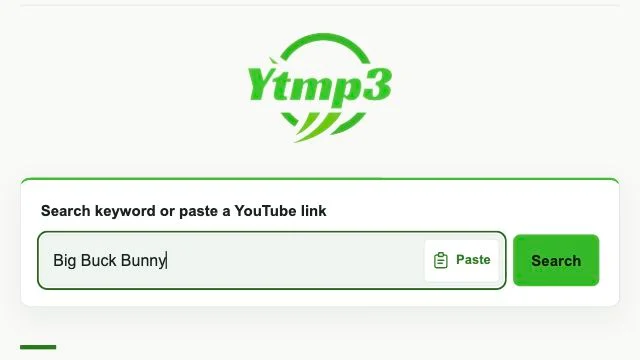
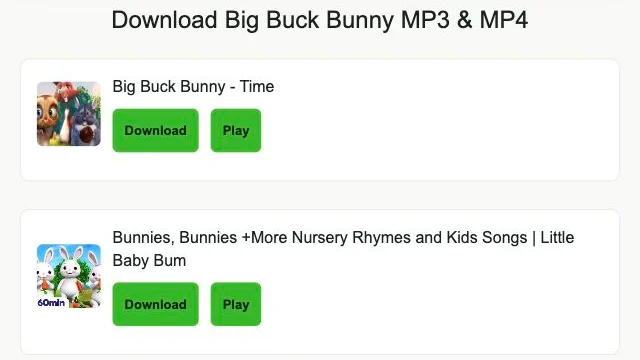
Welcome to Ytmp3, a browser-based YouTube downloader and converter for saving selected videos as MP3 music files or MP4 video files, with choices determined by the available source. Enter keywords when you need to find a video, or use a YouTube Link when you already know which one you want. Search results let you choose the source before conversion, while a recognized address opens its converter directly. Use the service for material you own or have permission to download, subject to the source platform's rules.
Use keywords when a title is easier to remember than an address. Add an artist or another identifying term to distinguish similar songs. The YouTube Mp3 Downloader returns results for selection before any conversion begins.
Open a Converter with a YouTube Link
A YouTube Link keeps your chosen source attached to the request instead of asking you to find it again. Enter the complete video address; recognition opens the selected converter, subject to the video's availability.
Discover Music through Trending
Trending offers another starting point when you have no search phrase ready. A listed song's Download link launches a song search rather than transferring a file. Use the results to choose the video you want.
YouTube to MP3 Converter Features for Choosing and Saving Files
Find a Video with Search or Convert
The search field adapts its action to your entry: keywords use Search, and a recognized YouTube Link uses Convert. In the YouTube Mp3 Converter, confirm the chosen video before selecting MP3.
Paste a Link and Select MP3 Bitrate
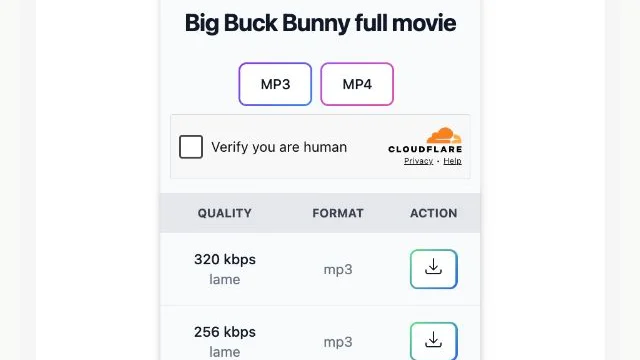
Clipboard paste may need browser permission; manual paste remains available. After opening the converter, compare the offered MP3 bitrates. Choices such as 320kbps, 256kbps and 128kbps depend on source availability and the conversion service.
Save MP3 Files and Locate Downloads
File preparation and browser saving are separate stages. An MP3 is saved only when its transfer completes. Use the browser download list to locate it; on iPhone or iPad, Files may contain the download.
How to Use the Ytmp3 Converter
Enter Keywords or a YouTube Link
Begin in the Ytmp3 Downloader search field. Type words that identify the music or paste the complete video address, then use the displayed Search or Convert action to continue.
Choose the Intended Video
Select the matching video from keyword results, checking its title against what you wanted. If you started with a recognized link, confirm the selected source rather than assuming every copied address refers to the right video.
Select MP3 or MP4 and Download
Choose an available MP3 bitrate or MP4 resolution and request conversion. Use the offered file download control when ready. Let the browser finish saving before opening the file or looking for it in storage.
For a focused starting point, open YouTube to MP3 for audio or YouTube to MP4 for video. The Ytmp3 blog explains file handling and everyday download questions.
YouTube to MP4 Downloader Resolution and Format Choices
MP4 keeps the video for watching; MP3 provides a listening file. MP4 choices can include HD, 1080p, 720p, 480p, 360p, 240p and 144p, while MP3 settings can include 320kbps, 256kbps and 128kbps. Choices depend on the source video and options returned by the conversion service. A higher setting cannot restore missing source detail, so compare the offered resolutions with your screen size and storage needs.
Supported YouTube Link Formats
Recognized single-video YouTube Links connect the address to its converter. The formats below help identify suitable links, but recognition does not establish source availability or ensure conversion will succeed.
Standard Desktop URLs:youtube.com/watch?v=VIDEO_ID
Shortened Share URLs:youtu.be/VIDEO_ID
YouTube Shorts URLs:youtube.com/shorts/VIDEO_ID
Mobile URLs:m.youtube.com/watch?v=VIDEO_ID
Embedded Player URLs:youtube.com/embed/VIDEO_ID
Is Ytmp3 Safe to Use?
Use Ytmp3 with the same care you would apply to other download websites: third-party services can introduce risks. Stay with the expected download controls, decline unrelated software or extensions, and do not submit account passwords to a converter. Keep the browser updated. If a prompt concerns something other than your selected file, stop and check what it is asking you to do.
Troubleshooting YouTube Link Errors and MP3 Conversion
For an invalid YouTube Link, check the complete video address and remove any surrounding text copied with it. For failed MP3 conversion, check video availability and your connection before requesting the file again. Retry once the service is available. If the browser already started a transfer, inspect its download status instead of treating an unfinished save as a conversion problem.
Copyright Disclaimer
Disclaimer: Ytmp3 is an independently operated YouTube downloader and converter. It is not affiliated with, endorsed by, or sponsored by YouTube or Google. YouTube and related names belong to their respective owners. References to those services describe compatible links and do not imply an official partnership.
Download only content that you own or have permission to save. Follow the applicable licence conditions, including attribution where required, as well as copyright law and YouTube's Terms of Service. Personal or non-commercial use does not automatically grant permission to copy or redistribute someone else's content.
Download Tips for Video Selection, Quality and Storage
Check the selected video's title before committing to a download, especially when several results share a song name. Pick a bitrate or resolution that fits the source and your storage rather than choosing the largest setting by default. If the completed file seems missing, check the browser download list for its destination before starting another transfer.
Frequently asked questions
What does Ytmp3 do with keywords and video links?
Ytmp3 is a YouTube Downloader and converter that connects video selection with available MP3 and MP4 downloads. Keywords first produce search results, whereas a recognized YouTube Link opens a particular video's converter. The source and conversion provider determine the file choices you receive.
How do I convert a selected YouTube video to MP3?
Paste its YouTube Link into the search field and use Convert, or search by title and select the matching result. Choose MP3 and an offered bitrate, then request conversion. When the download is ready, save the file and wait for the browser transfer to complete.
Do I need to pay to use Ytmp3?
Ytmp3 is free to use for searching and conversion requests. Availability can change with the source and service, so free access does not mean every request will produce a download. A payment prompt for an unrelated product is not part of selecting an MP3 or MP4 file.
Is a software installation needed before my first download?
No separate converter installation is needed to use the website in your browser. You can choose a source and request an available file from the page. Downloading that media file does not require accepting an unrelated software package or adding a browser extension.
How does saving with Ytmp3 work on Android and iPhone?
Ytmp3 works in current Android and iPhone browsers without a separate converter install. Saving controls and file destinations depend on the browser and device settings; compatibility can vary across versions. Check the browser's downloads first, and on iPhone look in Files for the saved item.
Does a higher MP3 bitrate always mean better quality?
No. MP3 quality starts with the source, and conversion cannot add detail that was never present. Availability of 320kbps, 256kbps and 128kbps depends on the source and conversion service. A higher bitrate generally uses more storage, but the difference may be limited by the original quality.
When should I choose MP4 for a YouTube download?
Choose MP4 when you want the video as well as its sound, provided that option is returned for your source. MP3 is the listening-only choice. For MP4, select from the available resolutions rather than assuming the highest setting will be offered for every video.
Why is my YouTube Link recognized incorrectly or not working?
An incomplete address or extra text can prevent recognition. Copy the link again from the intended video and check that the complete address is in the search field. If it is recognized but cannot proceed, confirm the video remains available; recognition alone does not establish access.
Why does MP3 conversion stop before a file is ready?
MP3 conversion can stop when the source becomes unavailable, the connection drops, or the conversion service cannot complete the request. Check whether the video opens and your connection works. Retry once the service is available rather than repeatedly submitting the same request while it is failing.
How can I make safer choices while downloading?
Follow controls tied to your chosen download and decline unrelated extensions or software offers. Keep your browser updated and passwords private. Third-party services can introduce risks, so leave a prompt alone if it asks for account credentials or changes to security settings instead of saving your file.
Can I convert without a YouTube login?
Yes. The website does not require a YouTube account or login to search and request conversion. Keep your YouTube password private; signing into a converter is not a way to make an unavailable source accessible. Videos with access restrictions may still be unavailable for conversion.
Is personal use enough permission to download a video?
Personal use alone is not blanket permission. Copyright authorization concerns your rights to the material, applicable law depends on your jurisdiction, and YouTube terms set separate platform conditions. Confirm that your planned download and any later use satisfy each of those requirements before proceeding.